If you're experiencing issues with your air conditioning system, here are some general steps you can take to troubleshoot and potentially address the problem. Keep in mind that some AC repairs may require professional assistance, especially if you're not comfortable or familiar with HVAC systems.
Check the Thermostat:
- Ensure that the thermostat is set to the desired temperature.
- Replace the batteries in the thermostat if applicable.
- Make sure the thermostat is in the cooling mode.
Inspect the Air Filter
- A clogged or dirty air filter can reduce airflow and strain the system. Check and replace the air filter if needed, typically every 1-3 months.
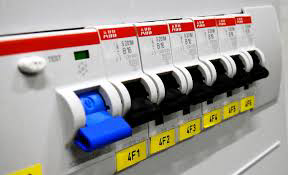
Examine the Circuit Breaker:
- Check the circuit breaker for the AC unit. If it's tripped, reset it. If it continues to trip, there may be an electrical issue that requires professional attention.
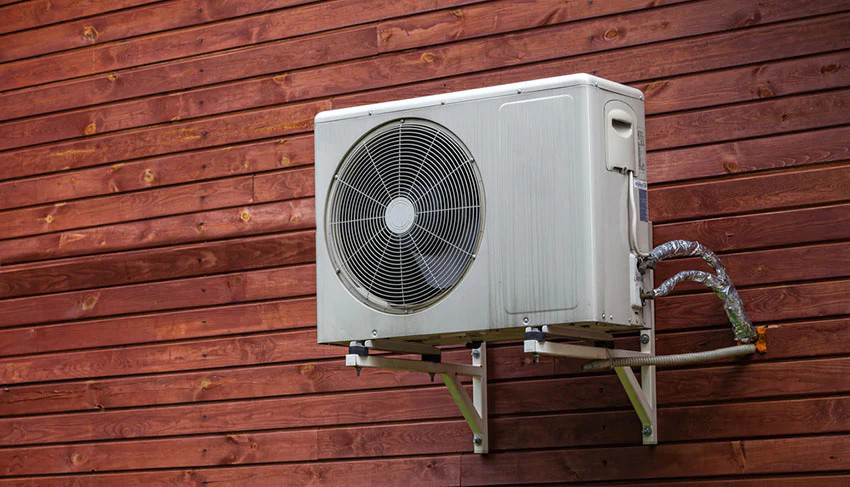
Inspect the Outdoor Unit:
- Ensure that the outdoor unit is free from debris, leaves, and other obstructions.
- Clean the condenser coils using a gentle stream of water or a soft brush.
Check for Refrigerant Leaks:
- Low refrigerant levels may indicate a leak. If you notice a decrease in cooling performance, it's advisable to contact a professional to inspect and recharge the system.
Inspect the Air Ducts:
- Check for any visible leaks or disconnected ducts. Repair or seal any leaks, and make sure the ducts are properly connected.
Listen for Unusual Sounds:
- Unusual noises such as grinding, squealing, or banging may indicate a problem. If you hear such sounds, it's best to consult with a professional technician.
Test the Capacitor:
- The capacitor helps the compressor start. If it's faulty, the unit may not turn on. Capacitor testing requires knowledge of electrical systems, so it's recommended to seek professional assistance.
Inspect the Evaporator Coils:
- Check the evaporator coils for dirt or ice buildup. Dirty coils can reduce efficiency, while ice may indicate a refrigerant or airflow issue.
- If you're unable to identify or resolve the issue, or if the problem is related to electrical components, it's advisable to contact a licensed HVAC technician for further diagnosis and repair.




Remember, safety is a priority. If you're unsure or uncomfortable with any troubleshooting steps, it's best to consult with a professional HVAC technician to avoid any accidents or further damage to the system.
Comments
Post a Comment
Ok. Your phone number send me